Designing for Inclusion
Designing for Inclusion
Designing for Inclusion
Designing for Inclusion
Designing for Inclusion
Designing for Inclusion
Aug 2023
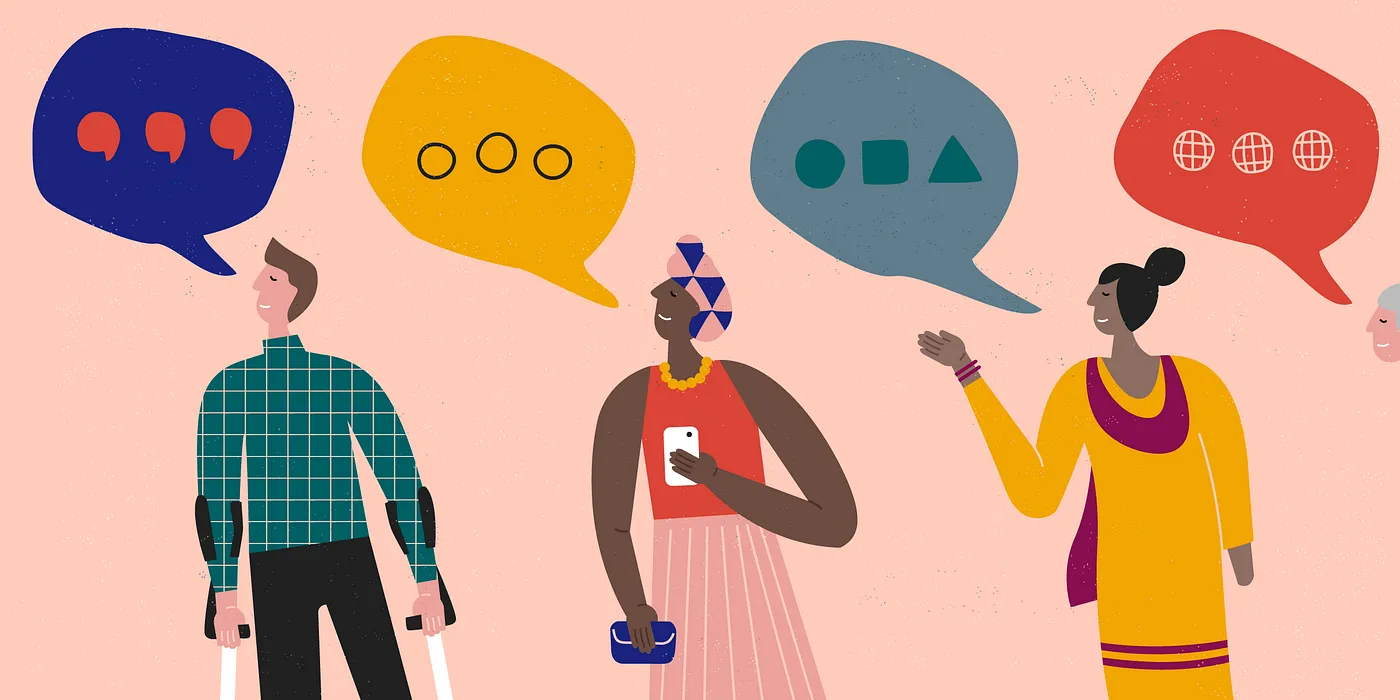
I just concluded a design challenge for a job application. One of the things that stood out for me was the importance of designing for accessibility. In this article i share a few things i’ve learned during this process.
I just concluded a design challenge for a job application. One of the things that stood out for me was the importance of designing for accessibility. In this article i share a few things i’ve learned during this process.
What’s Accessibility?
For those who may not be familiar, accessibility refers to the design of products, devices, services, or environments that are usable by people with a wide range of abilities. This includes people with disabilities, as well as those who may have challenges using traditional input methods due to age, language, culture, or technological expertise
What’s Accessibility?
For those who may not be familiar, accessibility refers to the design of products, devices, services, or environments that are usable by people with a wide range of abilities. This includes people with disabilities, as well as those who may have challenges using traditional input methods due to age, language, culture, or technological expertise
Why Does It Matter?
Designing products that are accessible to users with different abilities is not just about meeting regulatory requirements or doing the “right thing.” It’s about ensuring that everyone can use and benefit from your products, and feel included and valued as customers.
Imagine how frustrating it would be if you couldn’t use a product because of a physical limitation or language barrier. By designing with accessibility in mind, you can create products that are intuitive and easy to use for everyone, and avoid leaving anyone out.
However, the benefits of accessibility don’t just stop at the individual user level. When products are designed with accessibility in mind, they often have a more streamlined and uncluttered design that is appealing to all users. This can lead to increased customer satisfaction and loyalty, giving you a competitive advantage in the market.
Why Does It Matter?
Designing products that are accessible to users with different abilities is not just about meeting regulatory requirements or doing the “right thing.” It’s about ensuring that everyone can use and benefit from your products, and feel included and valued as customers.
Imagine how frustrating it would be if you couldn’t use a product because of a physical limitation or language barrier. By designing with accessibility in mind, you can create products that are intuitive and easy to use for everyone, and avoid leaving anyone out.
However, the benefits of accessibility don’t just stop at the individual user level. When products are designed with accessibility in mind, they often have a more streamlined and uncluttered design that is appealing to all users. This can lead to increased customer satisfaction and loyalty, giving you a competitive advantage in the market.
A Few Tips
How do you go about making your products more accessible? Here are a few best practices I’ve learned so far:
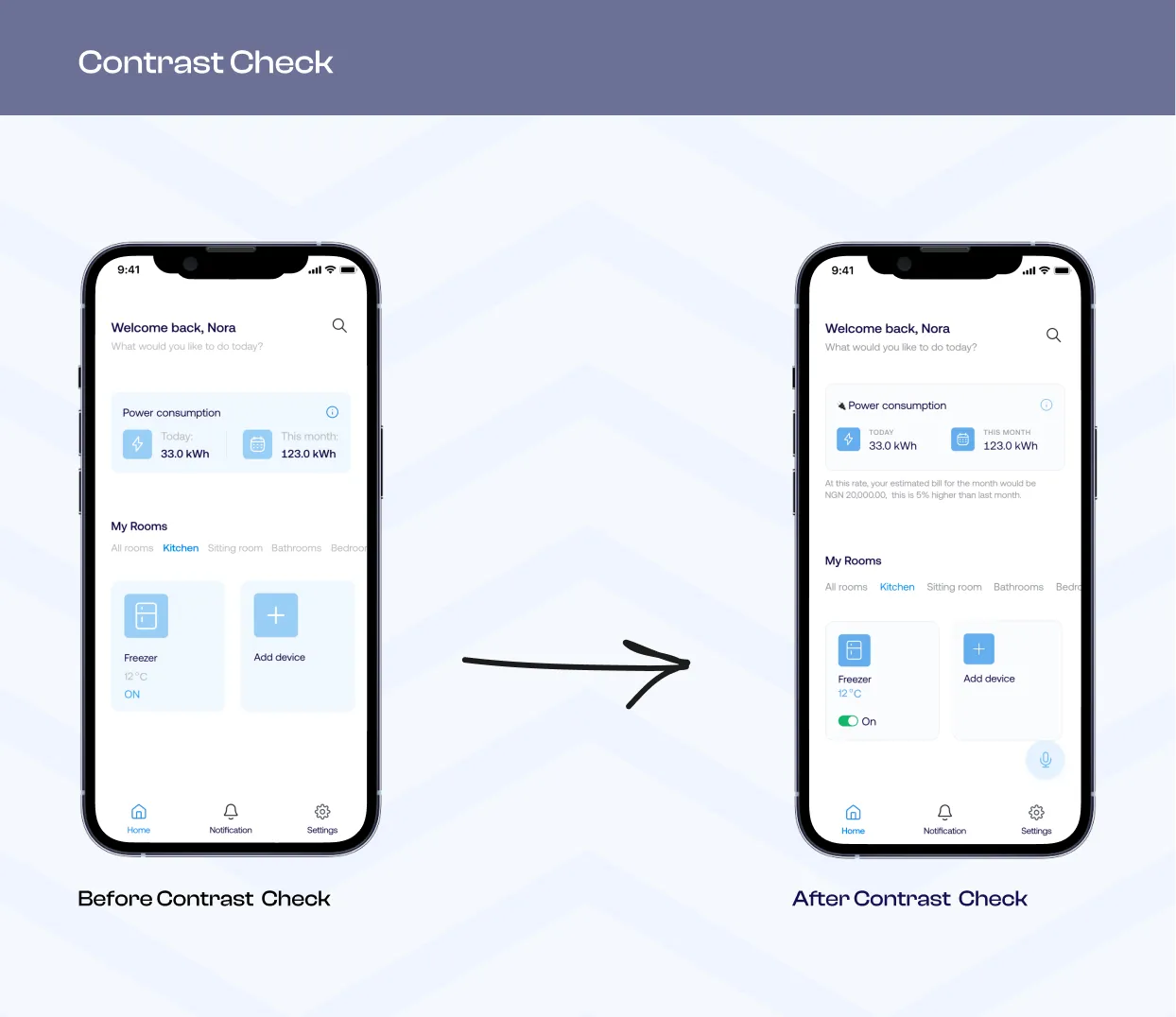
Use High-Contrast Colors: Make sure that text and visuals are clear and easy to read, using high-contrast colors and avoiding cluttered layouts. I personally like to use the Use Contrast Figma plugin to run accessibility checks. The plugin helped me quickly access WCAG (Web Content Accessibility Guidelines) compliant color contrast ratios
A Few Tips
How do you go about making your products more accessible? Here are a few best practices I’ve learned so far:
Use High-Contrast Colors: Make sure that text and visuals are clear and easy to read, using high-contrast colors and avoiding cluttered layouts. I personally like to use the Use Contrast Figma plugin to run accessibility checks. The plugin helped me quickly access WCAG (Web Content Accessibility Guidelines) compliant color contrast ratios
Clear Labels: Provide clear and concise instructions and labels, using simple language and avoiding jargon. This is especially important for users who may not be familiar with your product or industry.For example, a brand might use nostalgic imagery and messaging to evoke feelings of comfort and familiarity, making users feel at home with the product.
Clear Labels: Provide clear and concise instructions and labels, using simple language and avoiding jargon. This is especially important for users who may not be familiar with your product or industry.For example, a brand might use nostalgic imagery and messaging to evoke feelings of comfort and familiarity, making users feel at home with the product.
Easy To Use: Make sure that controls and navigation are easy to use and understand, using intuitive icons and design elements. Nobody wants to feel like they need a degree in rocket science to use a product.
Easy To Use: Make sure that controls and navigation are easy to use and understand, using intuitive icons and design elements. Nobody wants to feel like they need a degree in rocket science to use a product.
Offer alternatives for users who may have difficulty using traditional input methods, such as touch screens or mouse clicks. Keyboard navigation and voice control options can be game-changer for some users
Offer alternatives for users who may have difficulty using traditional input methods, such as touch screens or mouse clicks. Keyboard navigation and voice control options can be game-changer for some users
Testing, Testing: It’s important to test your products with a diverse group of users to ensure that they are accessible and easy to use for everyone. Unfortunately, due to time constraints on this project, I was unable to test this product. However in an ideal scenario, I’d carry out usability test across users with a wide range of abilities.
Testing, Testing: It’s important to test your products with a diverse group of users to ensure that they are accessible and easy to use for everyone. Unfortunately, due to time constraints on this project, I was unable to test this product. However in an ideal scenario, I’d carry out usability test across users with a wide range of abilities.
Designing for accessibility is an ongoing process that requires continuous testing and iteration. By prioritizing accessibility in your design process, you can create products that benefit everyone and contribute to a more inclusive world one product at a time.
Designing for accessibility is an ongoing process that requires continuous testing and iteration. By prioritizing accessibility in your design process, you can create products that benefit everyone and contribute to a more inclusive world one product at a time.
More Posts
Crafting delightful user Experience
Have you ever had the experience of stepping into a Miniso store and feeling an instant rush of excitement? Miniso is a popular retail chain known for its...

Crafting delightful user Experience
Have you ever had the experience of stepping into a Miniso store and feeling an instant rush of excitement? Miniso is a popular retail chain known for its...
Crafting delightful user Experience
Have you ever had the experience of stepping into a Miniso store and feeling an instant rush of excitement? Miniso is a popular retail chain known for its...
Crafting delightful user Experience
Have you ever had the experience of stepping into a Miniso store and feeling an instant rush of excitement? Miniso is a popular retail chain known for its...
Crafting delightful user Experience
Have you ever had the experience of stepping into a Miniso store and feeling an instant rush of excitement? Miniso is a popular retail chain known for its...
Building a masterpiece with Figma components
As someone who transitioned into product design with no technical experience, it was pretty challenging figuring out all the different features in Figma, especially how to use components.
Building a masterpiece with Figma components
As someone who transitioned into product design with no technical experience, it was pretty challenging figuring out all the different features in Figma, especially how to use components.
Building a masterpiece with Figma components
As someone who transitioned into product design with no technical experience, it was pretty challenging figuring out all the different features in Figma, especially how to use components.
Building a masterpiece with Figma components
As someone who transitioned into product design with no technical experience, it was pretty challenging figuring out all the different features in Figma, especially how to use components.
Building a masterpiece with Figma components
As someone who transitioned into product design with no technical experience, it was pretty challenging figuring out all the different features in Figma, especially how to use components.